
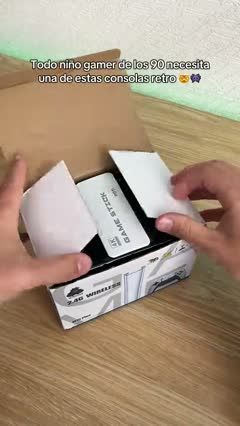
 NostalgiaRetro Game Stick Unboxing to Gameplay4 scenes · 23s
Nostalgia video templates
Connect a familiar memory with a new way to use the product.
Nostalgia templates
2 templatesNostalgiaRetro Game Stick Unboxing to Gameplay4 scenes · 23s NostalgiaParked-Truck Gaming Discovery Skit4 scenes · 51s
How to choose a nostalgia video template
Best for
For sellers whose product, design, sound, or use connects naturally with a shared memory or an earlier everyday experience.
What to highlight
Make the familiar reference recognizable, then connect it to the product shown today. Use a concrete object, routine, or design detail so the memory has a clear role in the story.
What you’ll need
Prepare suitable archival or recreated visuals, permission for any third-party material, and a product connection that viewers can understand. Check the rights to music and recognizable clips before reuse.
Nostalgia template FAQs
How do I connect a memory to a product?
Choose a memory that relates to the product’s appearance, purpose, or occasion. Show the connection in the footage rather than adding an unrelated nostalgic opening.
Do I need old footage?
No. A familiar setting, object, routine, or visual style can establish the reference. Use assets you can lawfully include.
Can this work for a newly launched product?
Yes, when the new product has a clear connection to a familiar design or experience. Explain what carries over and what the viewer is seeing today.