
2026-10-16 – 2026-10-22 · THB
- GMV
- ฿6.8K
- Units sold
- 6
- GPM
- ฿3.9K
Public engagement · 2026-10-23
- Views
- 1.9K
- Likes
- 8
- Comments
- 0
- Shares
- 2
- Engagement
- 0.5%
- Views / followers
- —
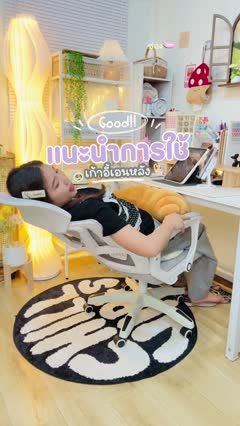
Office Chair Adjustment Walkthrough
Video caption
แนะนำวิธีใช้เก้าอี้ ใช้ง่าย🥕✅ คุ้มค่า แค่ 1199.- #เ#เก้าอี้นั่งทํางาน#เก้าอี้คอม#เ#เก้าอี้ปรับนอนเ#เก้าอี้นั่งสบายเ#เก้าอี้สํานักงาน
Script & storyboard
- Visual
- Open with the presenter reclining in [office chair], then return to an upright position.
- On-screen text
- —
- Voiceover
- Here is a quick tour of the chair adjustments.
- Visual
- Show the arm-side controls, lean back through the available positions, and return upright using the demonstrated mechanism.
- On-screen text
- —
- Voiceover
- Use the controls shown in your model instructions to adjust the backrest.
- Visual
- Frame the under-seat lever as the presenter raises and lowers the seat, showing the change from a side angle.
- On-screen text
- —
- Voiceover
- Adjust the seat height with the lever, then check your position at the desk.
- Visual
- Turn the chair to reveal the rear support and move that section up and down before sitting back.
- On-screen text
- —
- Voiceover
- Here is the adjustable back support; test its position while seated.
- Visual
- Swivel the chair to show the base and full back, then stand beside it.
- On-screen text
- —
- Voiceover
- See how the chair turns and how the back is built.
- Visual
- Bring the chair nearer and show the mesh back and headrest in close-up.
- On-screen text
- —
- Voiceover
- Take a closer look at the mesh and headrest before choosing.