
A useful Valentine's Day campaign helps someone choose a gift, understand what arrives and order under terms you can fulfill. For an ecommerce seller, the creative needs to connect a recipient, a buying reason and a real product offer.
The next Valentine's Day is February 14, 2027. Build the campaign backward from your own fulfillment and customization deadlines. The ten ideas below include the product fit, video execution and operational check needed to turn an idea into a usable campaign.
Choose the campaign you can support
Before selecting a theme, identify the products with dependable inventory, clear gift value and enough margin for the intended offer. Then choose the buyer's problem: deciding what to give, staying within a budget, understanding personalization, or finding a viable option late in the season.
Existing seasonal guides cover gift bundles, self-gifting, audience segments and gift guides. The useful next step for a video-led seller is to specify exactly what to show and what must be true before publishing. Klaviyo: Valentine's campaign ideas, Printful: Valentine's marketing ideas.
Use the ideas as options. A focused campaign with adequate product evidence is easier to execute than ten simultaneous themes.
1. Build a gift guide around a recipient's everyday routine
Choose a recognizable situation: the partner who travels, the friend setting up a desk, or the person who enjoys an evening skincare routine. Pick products that fit that situation and explain the reason for each selection.
Video execution: Open with “A gift for the person who always packs the little essentials,” then show the actual pouch, its compartments and gift presentation. Let the routine establish relevance before introducing the offer.
Best fit: Accessories, home products, hobby items and practical gifts with a clear use case.
Before release: Check the exact variant and package. If gift wrapping is optional, show and describe it as optional. Create a separate version for each genuine recipient need so the campaign answers more than “Who likes this color?”
2. Make a budget-based selection series
A budget guide reduces the number of products a shopper needs to inspect. Build categories from current prices, including any conditions that materially affect the advertised threshold.
Video execution: Show a small set of qualifying products with one useful reason to choose each. Use actual price information and a consistent format that makes comparison easy.
Best fit: Stores with several price points and reliable availability.
Before release: Confirm whether the advertised amount includes required add-ons, personalization or other charges. Assign someone to review price changes and retire outdated videos. Avoid leaving an expired “under $30” claim in a campaign after the qualifying configuration changes.
3. Show the complete gift-ready bundle
Build a bundle around a coherent use: a travel set, a desk arrangement or a small at-home ritual. Explain how the pieces work together and what the buyer receives.
Video execution: Start with the finished gift, then unpack and count the included items. Show the package closing so viewers can judge its presentation. If the bundle has a real saving, state the comparison and its basis accurately.
Best fit: Complementary products with enough stock to support the bundle.
Before release: Check every component's inventory. A missing item can invalidate the video and the offer together. Keep the bundle identifier and pack count in the script brief.
4. Explain personalization as a process
Personalization can make a gift feel specific to its recipient, but buyers need to understand the choices, appearance and timing.
Video execution: Show the actual order of decisions: select the product, choose a supported personalization, preview an example and inspect the finished result. Name the placement and limits that matter.
Best fit: Engraved accessories, printed products and configurable gifts.
Before release: Confirm character limits, available options, production capacity and the current order cutoff. Clearly identify illustrative mockups. An attractive generated engraving is unsuitable as evidence of the finish your production can deliver.
5. Create a “choose between these two” comparison
Help an undecided buyer compare two real options. Use a practical criterion such as size, storage, finish or intended use.
Video execution: Place both products in consistent framing. Show the detail that changes the decision, then explain which situation each suits. End by asking viewers to compare the listed specifications.
Best fit: Jewelry lengths, bag sizes, skincare formats with verified distinctions, and home products with different dimensions.
Before release: Avoid inventing a universal winner. Keep the comparison fair and ensure each linked option remains available. The useful outcome is a better selection, including when a shopper decides one option does not suit them.
6. Build a self-gifting or friendship campaign around actual use
Broaden the occasion with a specific routine or shared activity. A friendship gift campaign can focus on a shared hobby; a self-gifting campaign can show an item someone has a practical reason to choose for themselves.
Video execution: Show the product being used in that routine. For a desk accessory, demonstrate the arrangement it supports. For a matching set, show what is included and how the available sizes or variants work.
Best fit: Daily accessories, hobby products and giftable items that fit more than one relationship.
Before release: Build the message around a credible use case. Changing “partner” to “friend” in otherwise identical footage may add little value. Choose the opening, product detail and CTA to match the actual buyer.
7. Demonstrate a small experience the product enables
Give the gift a setting: preparing a shared meal, arranging an evening reading space or starting a craft project. Show how the product participates in that experience.
Video execution: Use a short before-use, action and finished-scene sequence. Keep the merchandise visible, and name any props sold separately.
Best fit: Kitchen tools, home accessories, games and craft products.
Before release: Make the package boundary clear. A video containing candles, mugs, blankets and a tray should not imply that all four arrive when the listing sells only the tray. Avoid generating an experience that depends on a product function you have not verified.
8. Answer the gift objection that usually delays the order
Collect questions from customer service, product-page feedback and comments. Choose a recurring obstacle such as fit, packaging, care, setup or what happens if the recipient needs a different size.
Video execution: Put the question in the opening and demonstrate the answer. “What does the gift box look like?” calls for a real box, opening sequence and view of the contents.
Best fit: Products with a clear purchase hesitation that can be resolved accurately.
Before release: Check service and return information against current terms. Keep the answer specific to the relevant product and market. This content can remain useful beyond Valentine's Day if it avoids temporary offer language.
9. Make the delivery decision clear as the cutoff approaches
Give late shoppers information they can act on. The campaign can explain the verified shipping cutoff, supported local collection, or a genuine digital option your store offers.
Video execution: Present the applicable destination, order deadline and important conditions clearly. After the physical-gift cutoff, switch the message to options your operation can still fulfill.
Best fit: Sellers with reliable cutoff information, pickup or existing digital products.
Before release: Obtain the cutoff from your fulfillment process. Do not invent a date or imply that an estimated arrival is guaranteed. Update or pause scheduled versions when capacity or carrier conditions change.
10. Use a genuine customer gifting story
A real account can explain why a gift mattered and what the recipient actually received. Ask permission to use the specific material and preserve its context.
Video execution: Build around the attributable experience, then add product details that help the next buyer evaluate it. Keep any relationship or compensation clear.
Best fit: Products with existing customers willing to share a relevant experience.
Before release: Confirm rights, accurate wording and any commercial disclosure. If a suitable story is unavailable, use a product demonstration while collecting genuine experiences. AI-assisted creative can illustrate a gift idea; it cannot supply a real recipient's history or reaction.
Work backward from fulfillment
Use a relative schedule so production follows your actual operation. Define C as the last order time you can responsibly communicate for the intended physical-gift delivery arrangement. Personalization may have an earlier cutoff.
| Planning stage | What to prepare | Release check |
|---|---|---|
| Before the buying window | Product shortlist, margin, assets and gift presentation | Stock, rights and specifications confirmed |
| Early consideration | Recipient guides, comparisons and budget selections | Products and prices still qualify |
| Approaching C | Gift objections, package details and clear delivery information | Cutoff and conditions reconfirmed |
| After C | Supported pickup, digital options or accurate later-arrival messaging | No obsolete arrival promise remains |
| After February 14 | Useful product education and campaign review | Seasonal terms removed where needed |
Put a stop or replacement action beside every temporary claim. Someone should know which videos contain a delivery promise and when to take them out of the release plan.
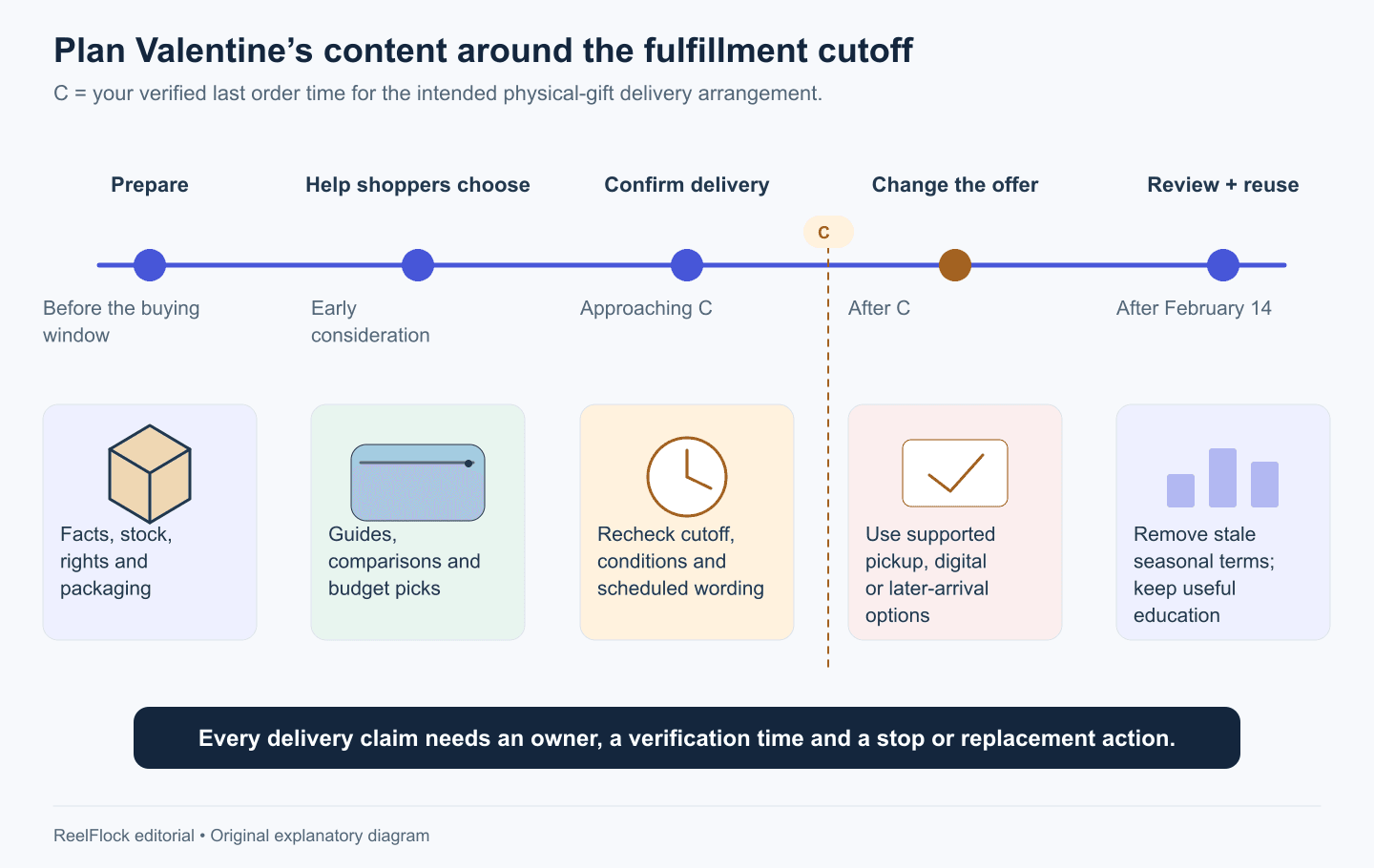
Define C from your actual fulfillment process and change scheduled messages when the offer can no longer be supported. Original relative plan; no shipping date is assumed.
Turn two campaign ideas into a manageable batch
Consider a fictional store selling three giftable accessories. It chooses two ideas: recipient routines and package reveals. Each gets two openings.
The plan is 3 products × 2 ideas × 2 openings = 12 videos. Account assignments distribute those twelve planned outputs; they do not automatically multiply them.
Create a row for each video with the product, recipient, buying question, template direction, required evidence, offer version, account and stop date. Produce a representative sample for each idea before completing the batch. If the packaging is inaccurate, correct the shared input first.
Explore templates and produce the campaign with ReelFlock
ReelFlock's template library provides product-category and creative starting points, including jewelry, product launches, comparisons and other holidays. Browse for a structure that suits your product: a detail reveal, unboxing, explanation or comparison. A dedicated Valentine's collection is not required to adapt a relevant structure. Explore ReelFlock templates.
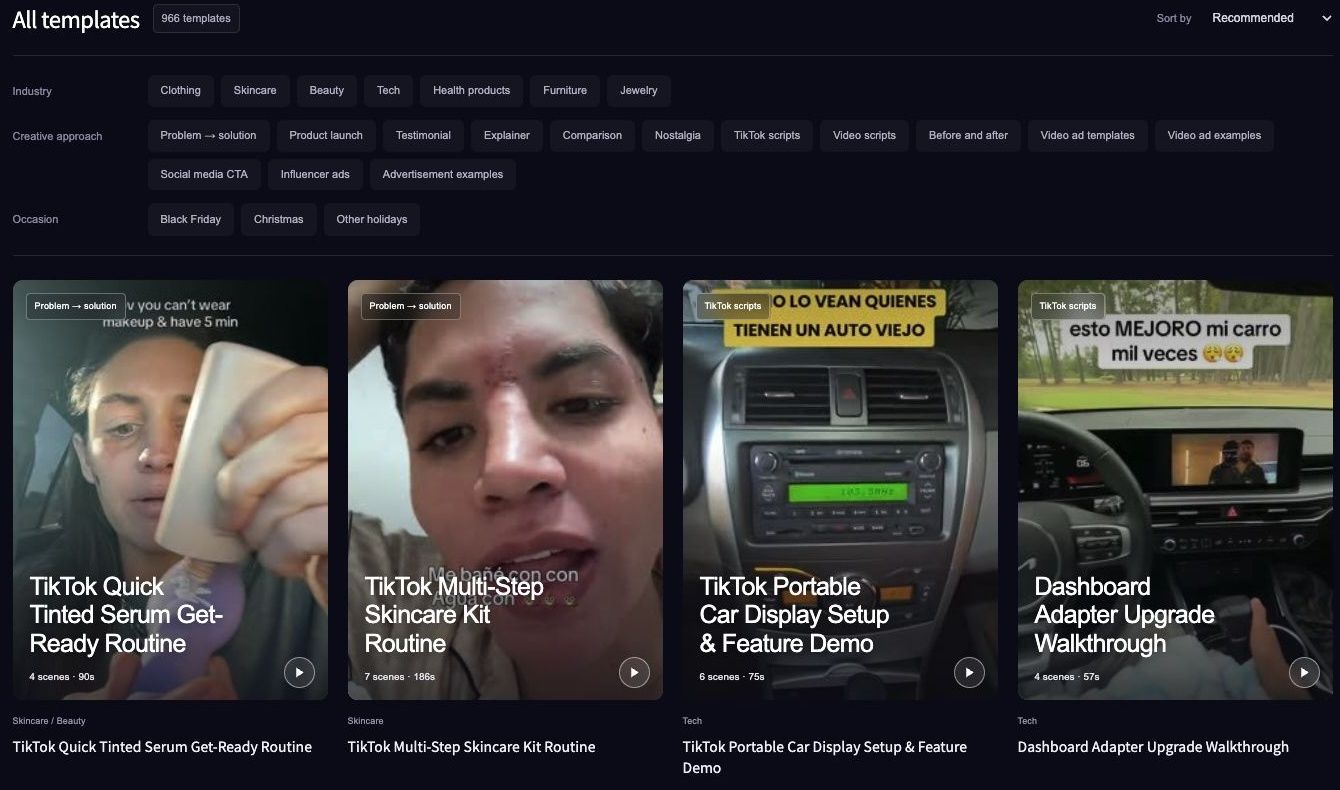
Browse by product category, creative structure or occasion in the ReelFlock template library. Screenshot captured November 3, 2026; the view does not establish a dedicated Valentine’s collection.
For a jewelry gift, keep the close-up and presentation sequence from a suitable reference, then replace the product facts, recipient angle and CTA with your own verified material. Use the template's “Recreate this video” path when appropriate, and review the result against the actual merchandise.
Bring the campaign's product sources and script directions into ReelFlock to create batches of product videos with account assignments. For finished creator or studio footage, upload the approved export and assign the publishing account. Review the seasonal wording and offer before approving release.
Choose a template for your first gift-video batch and start with the campaign your stock and fulfillment team can support.